
Appearance
Discover
The Discover tab answers "where do I dive next?". It has two halves: a Map and Activities.
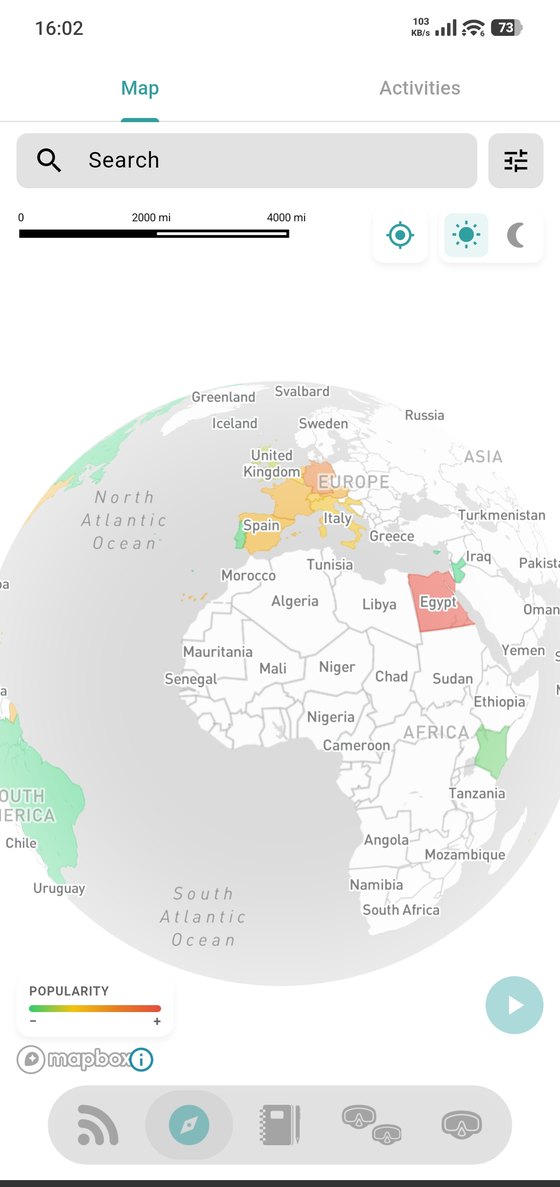
The map
Start zoomed out and the world is covered in numbered clusters — dive activity grouped by region. Zoom in and they break apart into individual dive sites and dive centers.
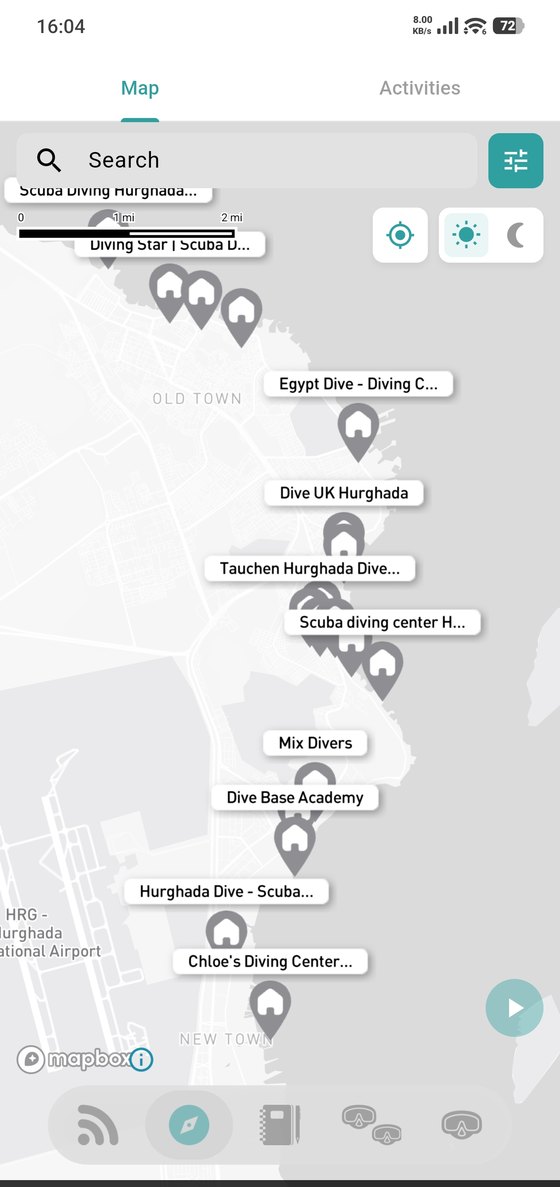
Around the map:
- Search — jump to a place, a dive site or a center by name.
- The filter button — narrow down what's on the map (see below).
- The locate button — centre the map on where you are.
- Sun / moon — switch the map between light and dark.
- The popularity scale at the bottom tells you how the colours are ranked.
Tap any pin to open it. For a dive center that's its profile.
Filters
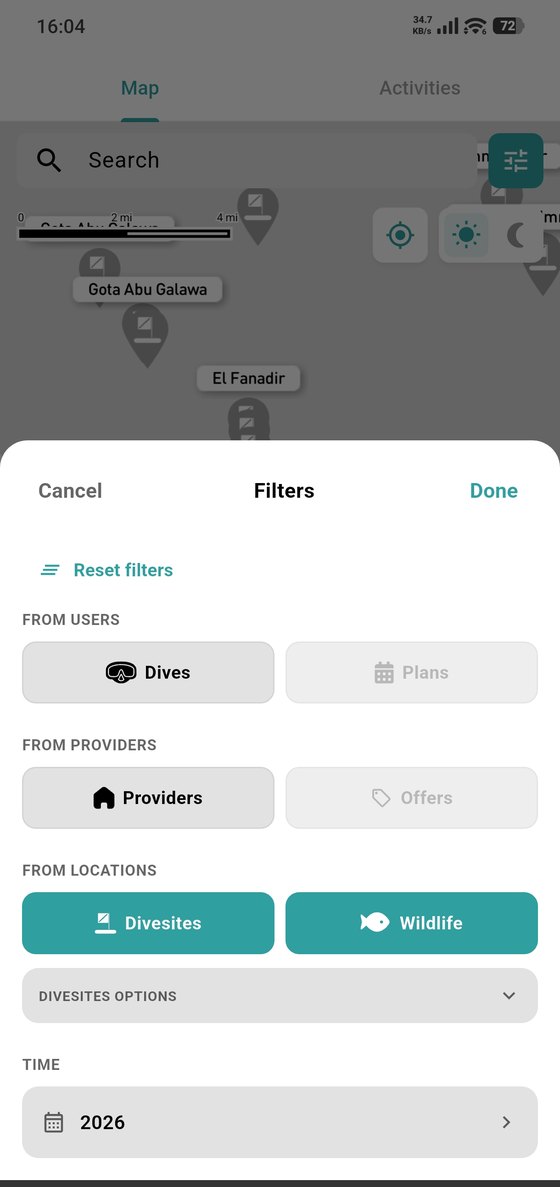
The filter panel narrows the map down by:
- From users — dives other divers logged, or their plans.
- From providers — dive centers, or the offers they publish.
- From locations — dive sites, or wildlife sightings.
- Time — the period you care about.
Use Reset filters to go back to everything.
Activities
The second half of Discover is Plans — dive trips you organise or join.