
Appearance
Add a dive
There are two ways a dive gets into your logbook: you fill it in, or your dive computer does most of it for you.
Coming from a dive computer?
If the dive is already on your computer, don't retype it — open the file the manufacturer's app exports and Blue Trails fills in the depth, the time, the profile and the gas for you. See Import from your dive computer, then come back here to add what the computer can't know: your buddies, the wildlife and the story.
By hand
Tap the + button on the Logbook tab. The form is long but only the starred fields are required — you can save a dive with the basics and come back for the rest.
When and where
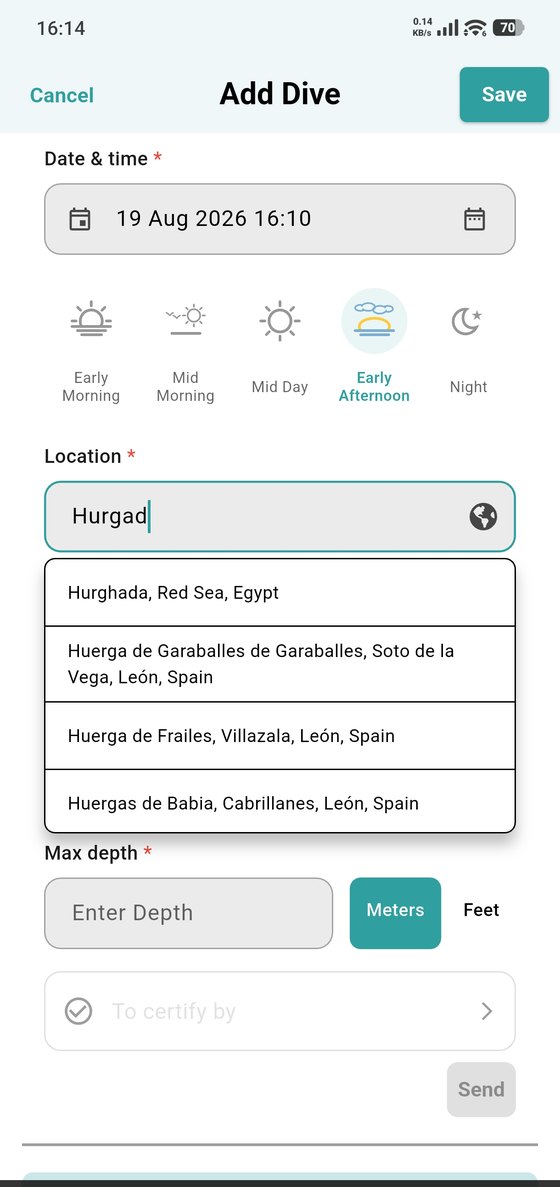
Set the date and time, then the time of day (early morning through night — it feeds your stats later). Location is a place search; Diving site then suggests the known sites nearby, with how far each one is, so you rarely have to type a name in full.
Then max depth, in metres or feet — the toggle sits right there and follows whatever you set in Preferred units.
Gas, weights and equipment
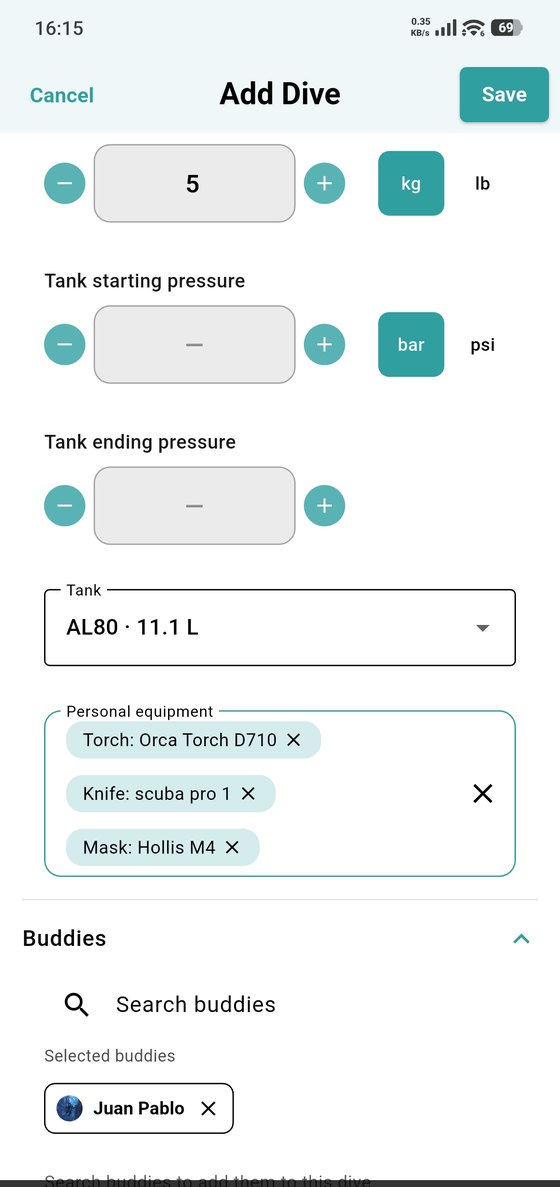
Weights, tank starting and ending pressure, and which tank you used. Under Personal equipment you pick from the gear on your profile — torch, knife, mask — instead of retyping it every dive.
Buddies is where you add who you dived with: search your buddies and tap to add them. They'll see the dive as one you did together.
Conditions
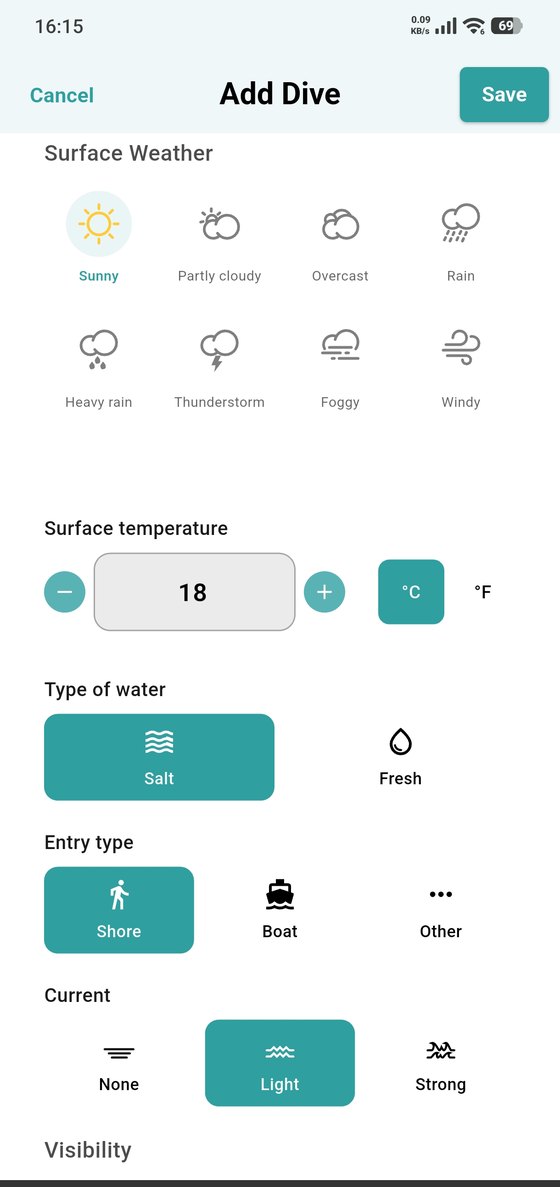
Surface weather, surface temperature, salt or fresh water, entry from shore or boat, and how much current there was.
What you saw
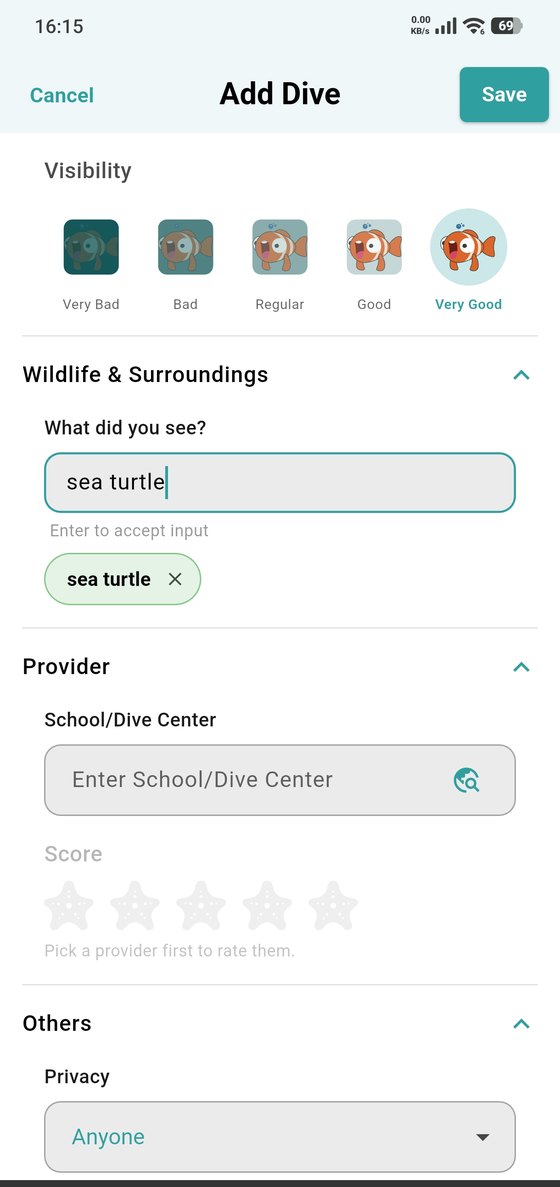
Rate the visibility, then log the wildlife you saw — start typing and pick from the list so it counts properly in your stats.
Who you dived with, and who sees it
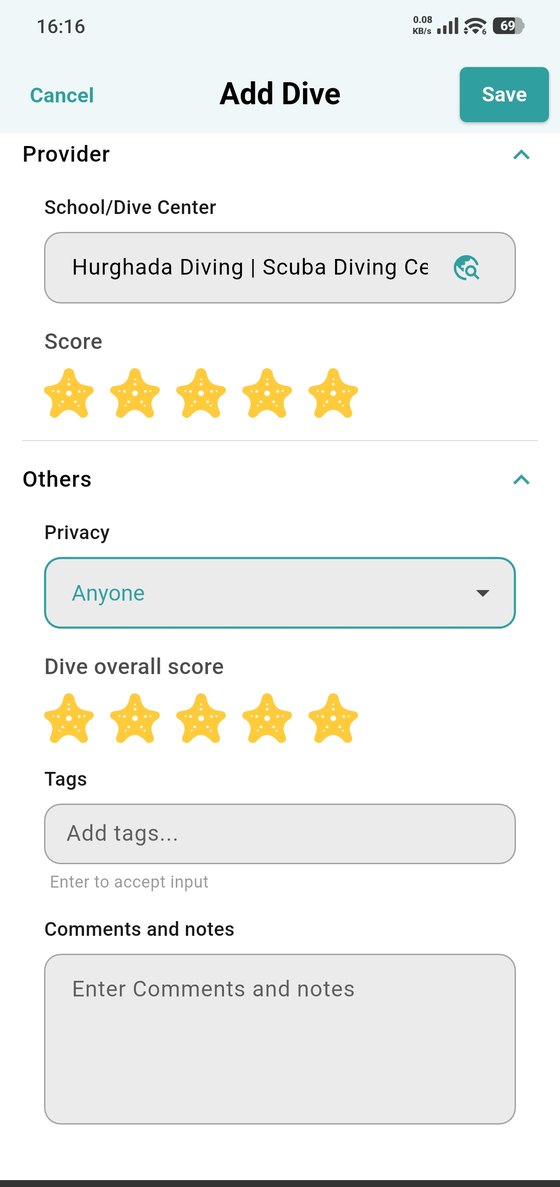
If you dived with a school or dive center, add it here and rate it. Then set privacy for this dive (only you, your buddies or anyone), give the dive an overall score, add tags and any notes.
Tap Save and the dive is in your logbook.
Getting the dive verified
The To certify by field on the first part of the form is how you ask the instructor or buddy who was there to confirm the dive. See Certify a dive.