
Appearance
Import from your dive computer
Your dive computer already recorded the depth, the time, the profile and the gas. Typing all that again by hand is work you don't have to do.
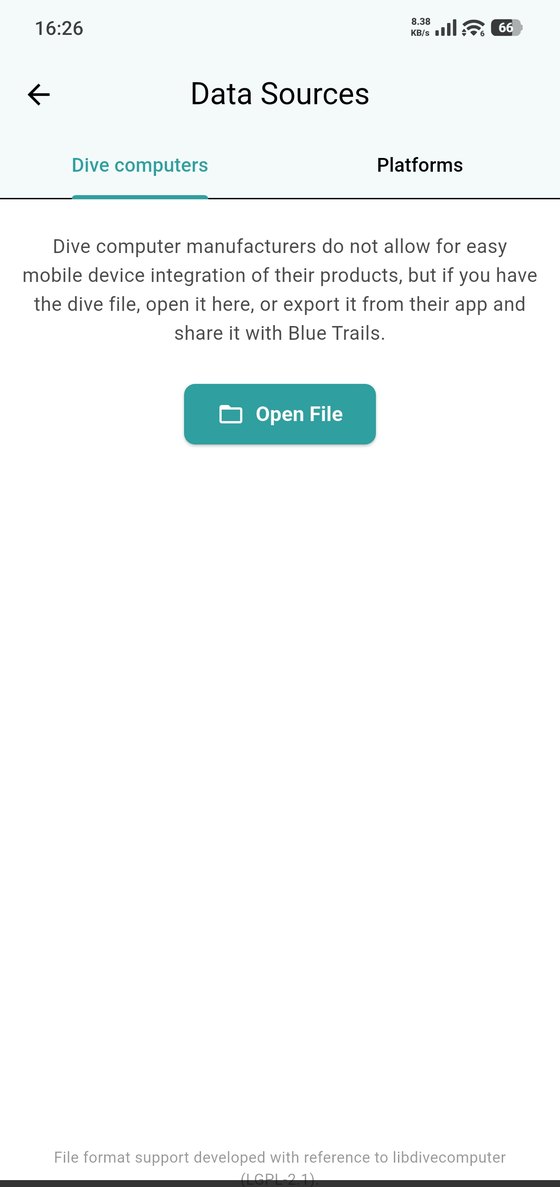
Why it goes through a file
Dive computer manufacturers don't allow apps to talk to their devices directly from a phone. So the route is the file: export your dives from the manufacturer's own app (or desktop software), then open that file in Blue Trails. It's one extra step, and it's the same one every diving app has to take.
The three ways in
- Settings → Data Sources → Dive computers → Open File — pick the file from your phone.
- Hand the file to Blue Trails — wherever the file already is, open it and send it to Blue Trails: the share button in the manufacturer's app, "Open with" in your file manager or a mail attachment, or simply dropping the file onto Blue Trails. The import screen opens on its own.
- Platforms — connect an online logging service like
divelogs.orgwith your username and password, and your dives come across without a file in the middle.
What Blue Trails reads
| Format | Where it comes from |
|---|---|
Shearwater Cloud (.db) | Shearwater computers — Perdix, Petrel, Teric, Peregrine |
| FIT | Garmin — the Descent series |
| DM4 / DM5 | Suunto DiveManager |
| DLD | DivingLog |
| Seac | Seac computers |
| SSRF | Subsurface |
| UDDF | The universal dive log format, exported by most apps |
| CSV | A plain table, for anything else |
If your computer isn't on the list, it almost certainly still works: export your dives to UDDF, or bring them into Subsurface — which speaks to a very long list of computers — and export from there.
Under the hood
Blue Trails' file format support is built with reference to libdivecomputer, the open source library most of the diving world relies on for exactly this.
What an import looks like
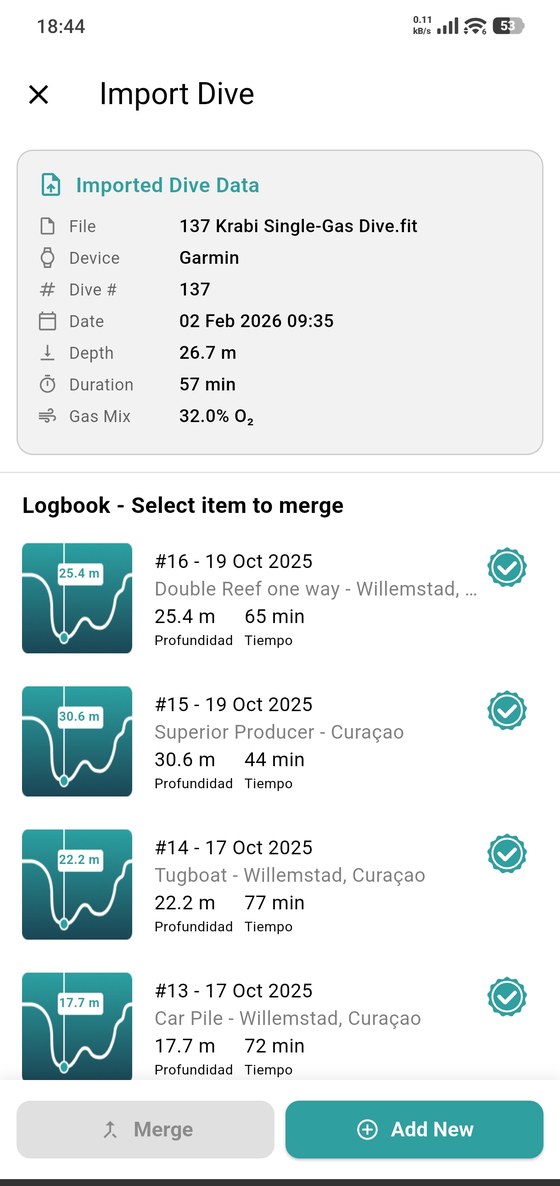
The top of the screen is what Blue Trails read out of the file, so you can check it's the right dive before anything is saved: the file name, the computer that wrote it, the dive number, the date and time, the maximum depth, the duration and the gas mix.
Underneath is your logbook, and two ways to finish:
- Add New — the dive isn't in your logbook yet. It becomes a new entry with the profile and the numbers already filled in, ready for you to add what the computer couldn't know: your buddies, the wildlife, the dive center and your notes.
- Merge — you already logged this dive by hand and now you want the real profile on it. Pick the entry from the list and tap Merge; the computer's data goes onto the dive you already wrote, instead of creating a second copy of the same dive.
Nothing is written until you choose one of the two.
A file that holds a whole trip works the same way, one step earlier: it first shows how many dives it found and which of them are new, updated or already imported, and you tick only the ones you want — sorted by date or by dive number.
Importing again later
Importing the same file twice doesn't duplicate anything. Blue Trails recognises dives it has already seen and offers to update them instead — so the usual habit of exporting everything after a trip works fine.
Profiles are big
Dives that carry a full depth profile are much heavier than plain summaries. If a very large import doesn't go through, select fewer dives and run it in a couple of goes.