
Appearance
Your profile
The Me tab is you: who you are as a diver, and everything attached to that.
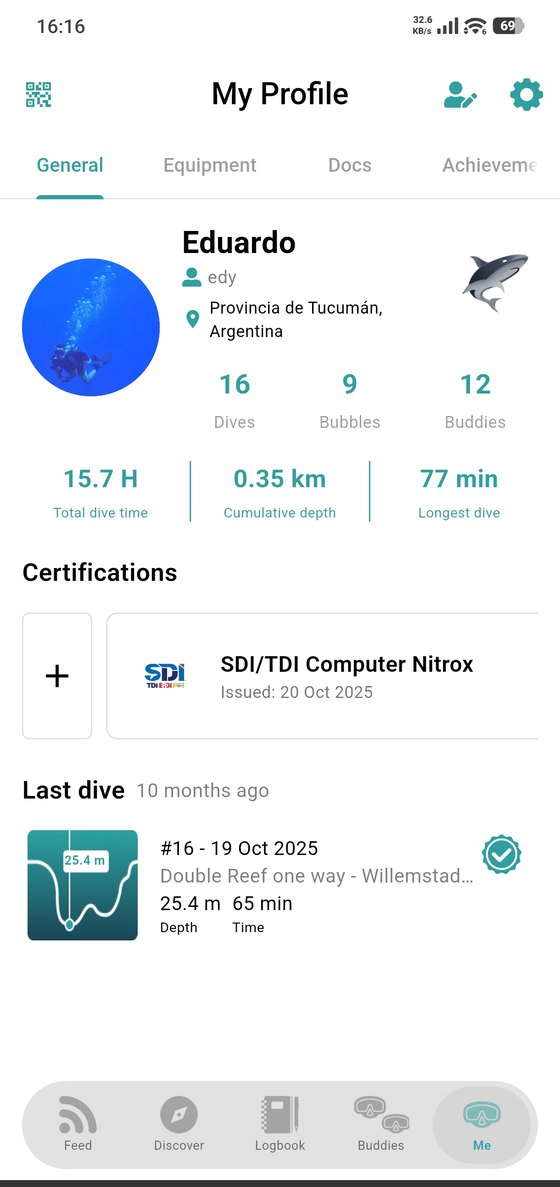
At the top, your photo, your name and handle, and where you're based. Then the numbers: dives logged, bubbles posted and buddies, followed by total dive time, cumulative depth and your longest dive.
Below sit your certifications and your last dive.
Four sub-tabs organise the rest:
- General — the summary above.
- Equipment — your gear.
- Docs — your documents and your medical questionnaire.
- Achievements — your badges.
The three icons
- QR (top left) — share your profile with the diver in front of you.
- Add buddy (top right) — go straight to finding people.
- Gear (top right) — Settings.
Editing
Tap your name or photo to edit your details: name, handle, location, photo and the personal information other divers see.