
Appearance
The medical questionnaire
Every dive center asks you to declare your fitness to dive. Blue Trails lets you answer it once, keep it with you, and share it with the centers you dive with — instead of filling in the same form at every counter.
Find it on your profile, under Docs.
Answering it
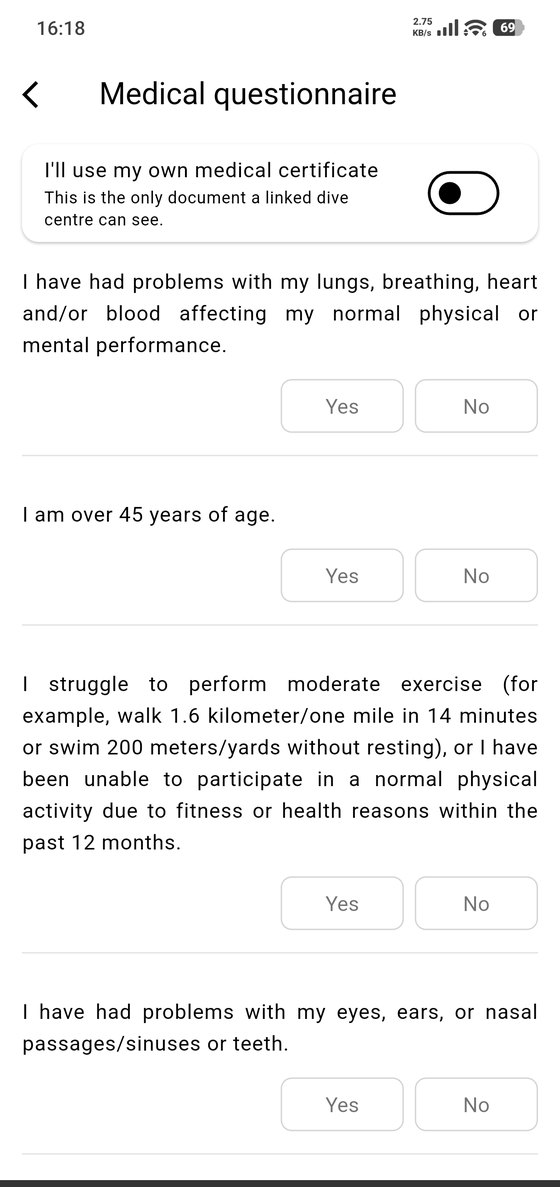
The questionnaire is the standard diving health screening: heart and lung conditions, asthma, age, ear and sinus problems, whether you can perform moderate exercise, neurological history, recent surgery, medication, and so on. Each one is a plain Yes or No, and a counter tracks how many you've answered.
At the top there's a switch for "I'll use my own medical certificate" — for divers who carry a doctor's certificate and would rather that be the document a dive center sees.
Signing it
The last step is the declaration: your full name, a checkbox confirming the answers are true and complete, and your signature, drawn with your finger.
A declaration only counts once it's signed. That's not bureaucracy — a "yes" on some of these questions means you should be cleared by a doctor before diving, and the declaration is you saying you understand that.
Keeping it up to date
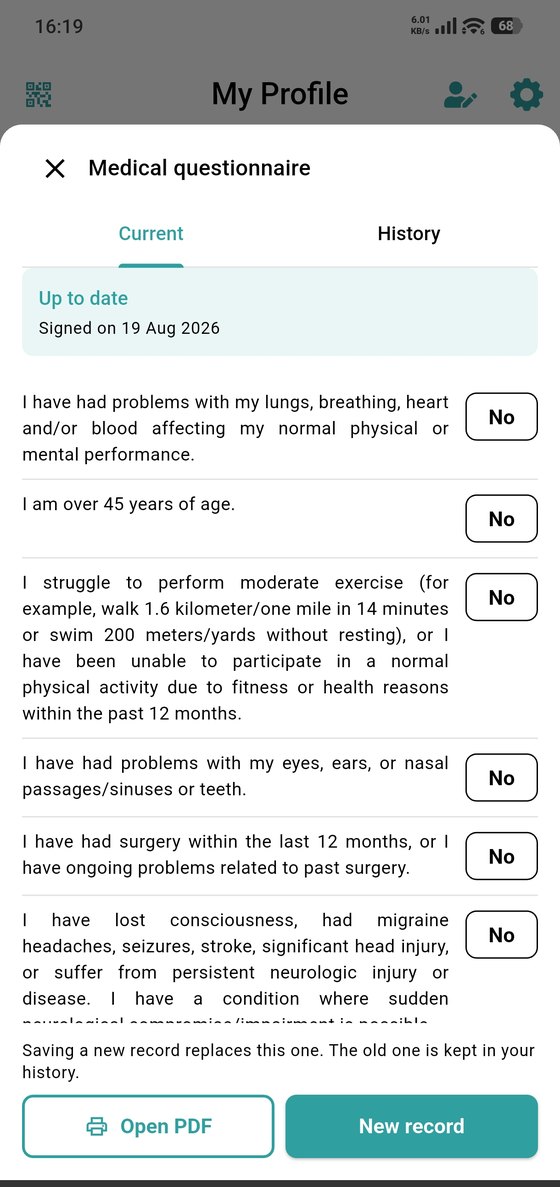
The Current tab shows your active declaration and when you signed it. The History tab keeps the previous ones — saving a new record replaces the current one without erasing what came before.
Open PDF produces the document itself, which is what a dive center or a doctor will ask for. New record starts a fresh declaration, which is what you do when something about your health changes.
Who sees it
Dive centers you've linked with can see the medical record you choose to share, and you can revoke that at any time from Privacy.