
Appearance
Book divers in
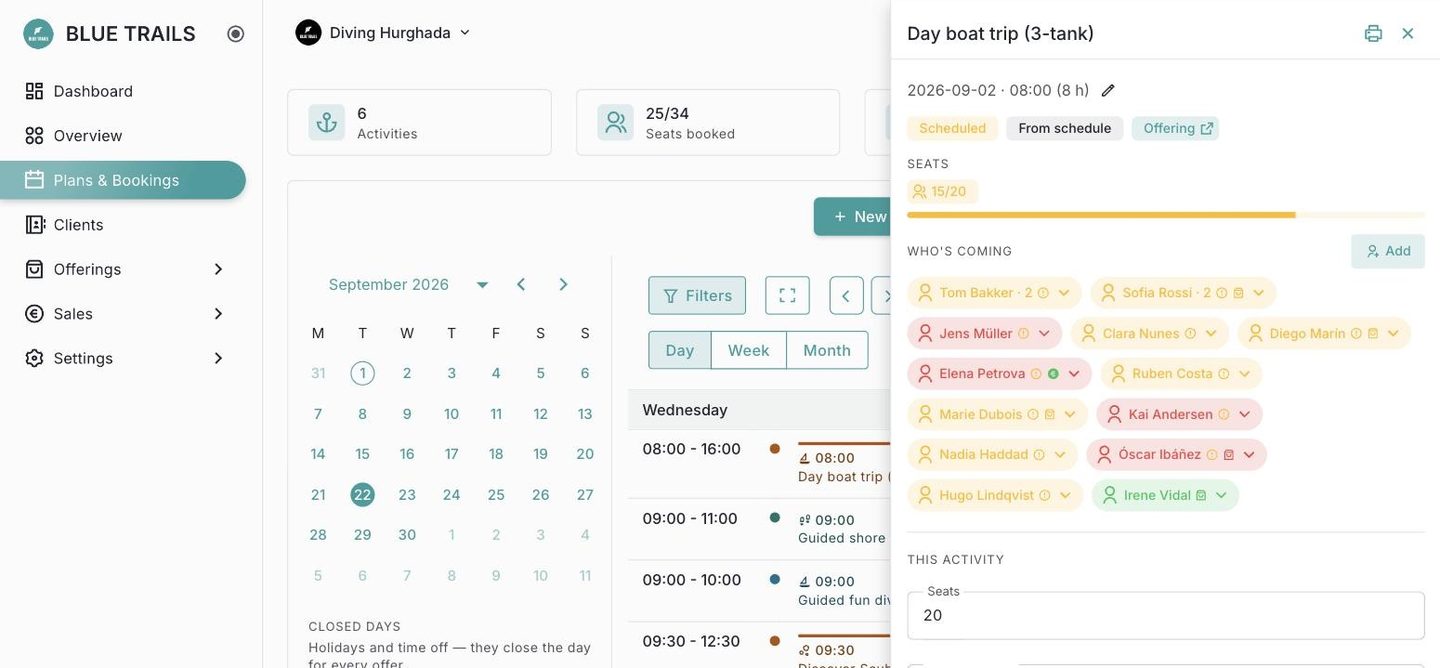
Open an activity and you get its panel, where Who's coming is the list of booked divers.
Add a diver
Use Add in the Who's coming section. You can either:
- pick an existing client from your book, or
- add a walk-in on the spot with just a first name — you can flesh out their record later.
A single booking can take more than one seat — handy for a couple or a family booking together under one name. The seats bar at the top shows how full the activity is (e.g. 18/20).
Seats and overbooking
The portal keeps you inside the activity's capacity. If you genuinely need to go over — you know a spot will free up — you can force it, on purpose, rather than by accident.
Removing someone
Cancelling a diver's booking releases their seats back to the activity so someone else can take them.
See the roster for what you can do with the people once they're booked.