
Appearance
The roster
The roster is the Who's coming list on an activity — everyone booked, at a glance, ready for the day.
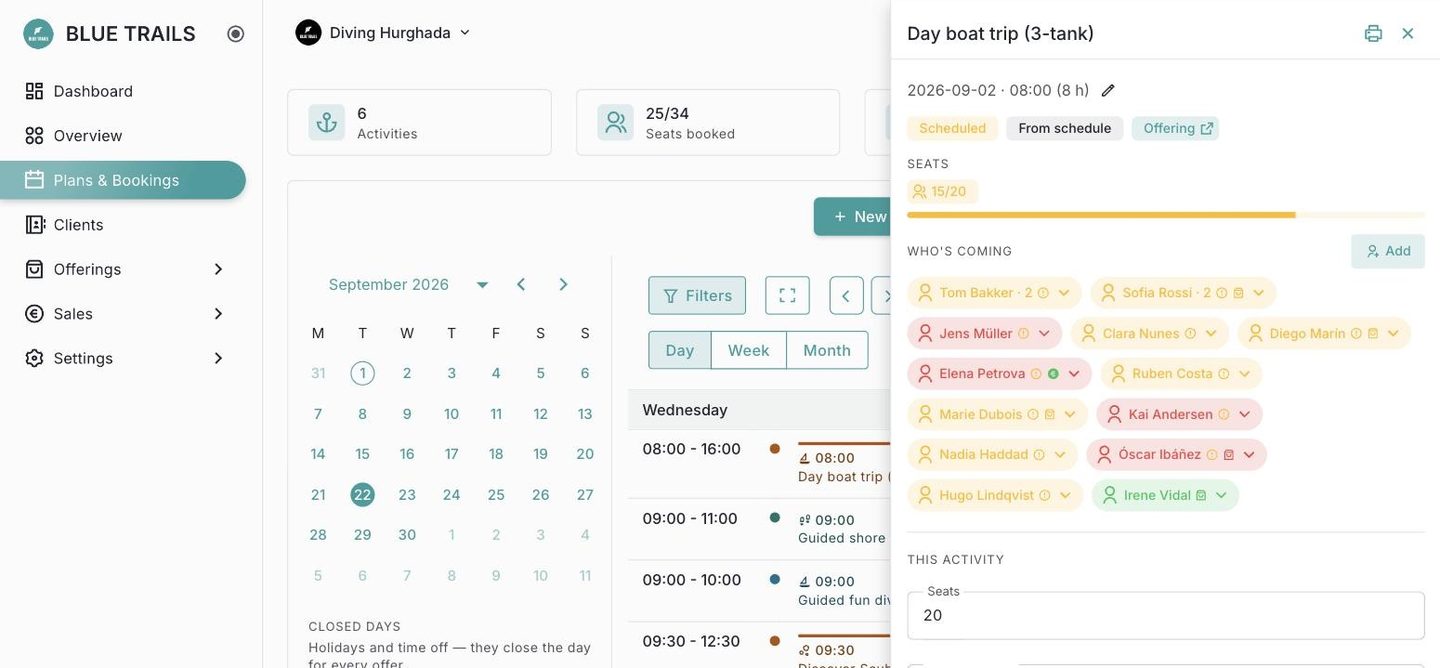
What each diver shows
Each diver on the roster is a chip you can open. From there you can:
- see and set their rental needs for this activity (see Rental needs),
- adjust their seats or notes,
- mark attendance once the day comes.
Attendance
When a diver shows up, mark them attended; if they don't, mark no-show. Attendance is a record for after the fact — it does not free the seat, since the spot was still held for them. Marked someone by mistake? You can undo it.
Reading the roster fast
Icons on each chip tell you at a glance who needs gear and who's all set, so you can prep the boat without opening every diver. When you're ready for the day, turn the roster into a departure sheet.