
Appearance
Send a receipt by email
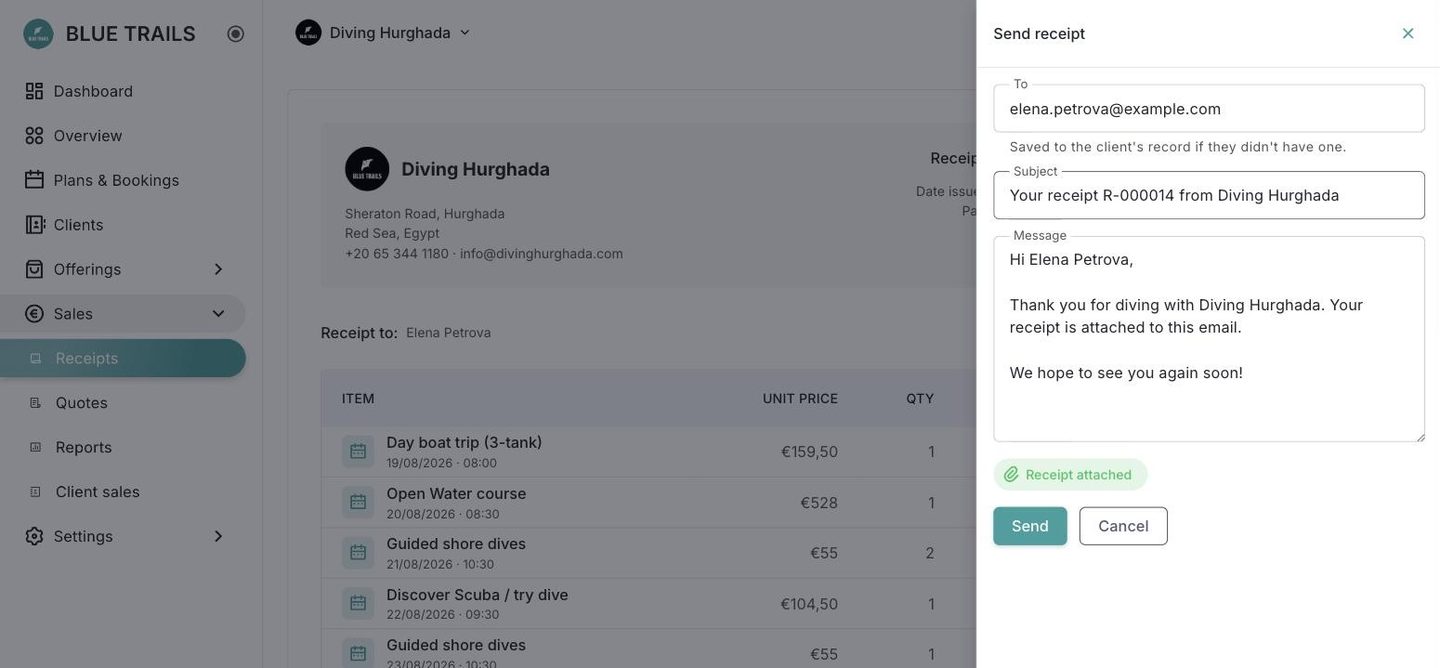
From the receipt preview, the Send panel opens on the side, exactly like sending a quote. The PDF goes attached, the reply comes back to your center, and the recipient gets saved to the client's record.
Only a charged receipt goes out
This is the one difference from a quote, and it is deliberate.
- A draft has no number yet and the paper stamps "DRAFT — not paid yet". Sending it invites the client to pay against something that can still change.
- A voided one has already been replaced by another receipt. Sending it is sending a document that no longer means anything.
If the Send button is not available, that is why.
What the preview records
Once it goes out, the receipt says who it went to and when. It keeps the last send, not a log — the question it answers is "did the client get this?", and for that the last one is the one that counts.