
Appearance
Invite your team
If you work with other people — guides, instructors, boat crew, office staff — you can add them to the account and control what each can see and do. Open Settings → Team.
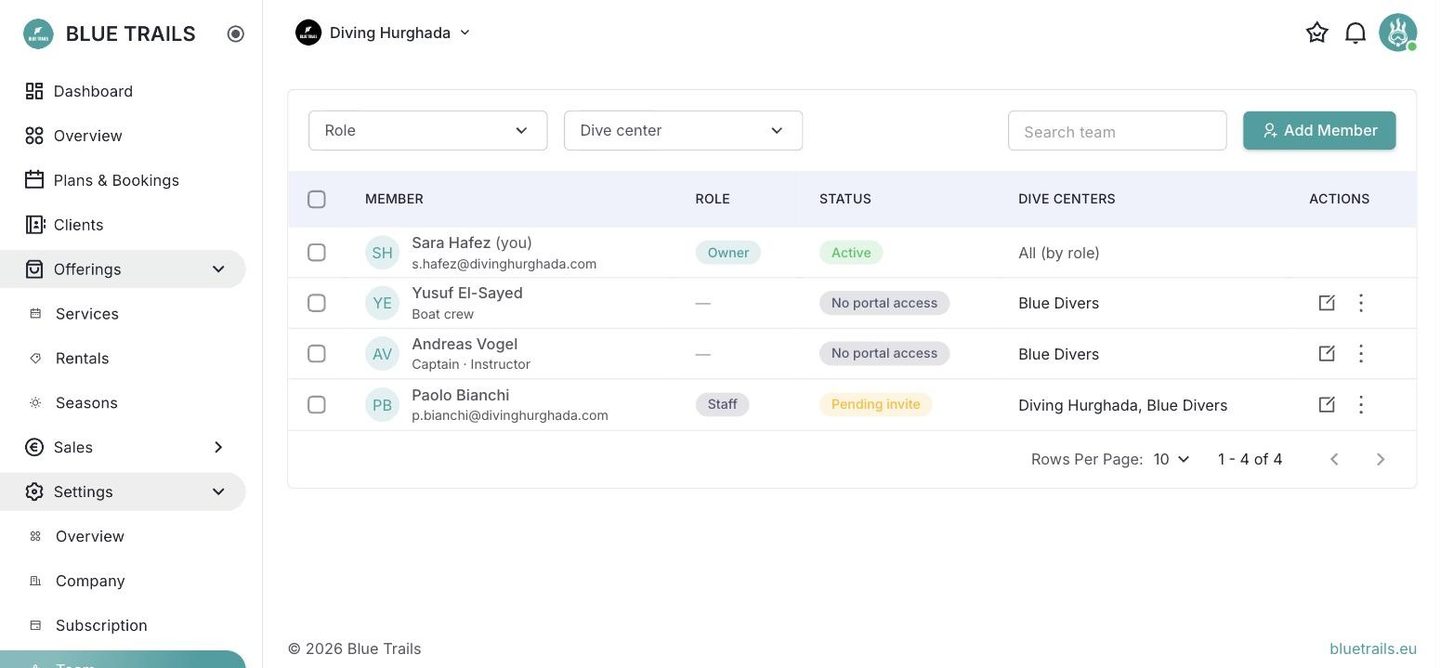
Add a member
Use Add Member. You invite someone by email and choose their role and which centers they work at. They get an invitation link; opening it and setting a password both joins the account and signs them in.
What the list shows
- Member — name and email.
- Role — their portal role (see Roles and permissions).
- Status — Active, Pending invite, or No portal access.
- Dive centers — the centers they're attached to.
Portal access vs. being on the boat
Someone can be part of your operation without logging in. A boat captain you assign to departures doesn't necessarily need portal access — they can exist as a team member you roster, with No portal access, and still appear on your departure sheets. Portal access is for the people who actually manage things on screen.
See Roles and permissions for who can do what.