
Appearance
Services, rentals and seasons
Offerings is the menu group where you describe what your center sells. There is no single "offering" form: what you sell splits into three screens, because the three behave differently.
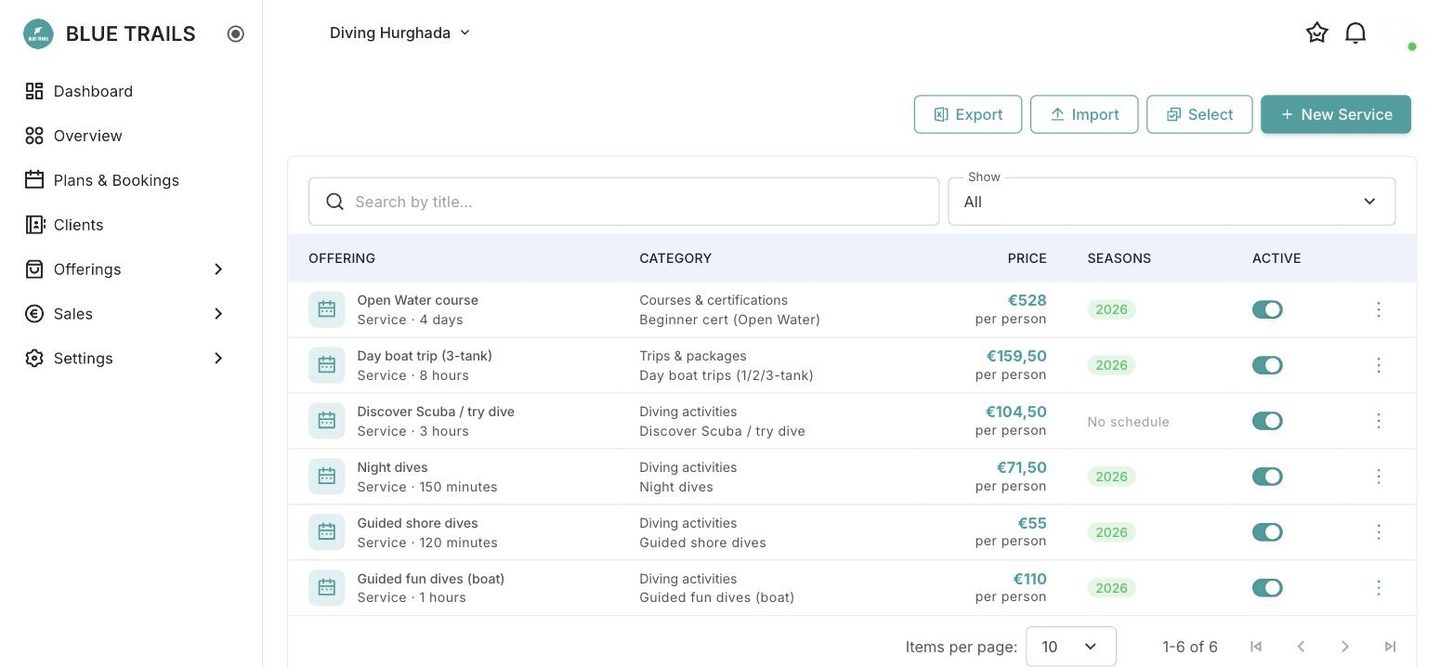
The three screens
| What it is | Does it reach the calendar? | |
|---|---|---|
| Services | Something that happens at a time: a fun dive, a night dive, an Open Water course, a day boat trip | Yes. A service carries seasons, departure times and capacity, and that is what fills your calendar |
| Rentals | Gear you rent out: full equipment, a wetsuit, a dive computer | No. A rental is a reference price and a list of equipment; it attaches to a booking as what that diver needs |
| Seasons | A name and a date range. "Summer 2026-2027, 1 Nov to 30 Mar" | Indirectly — a service produces departures inside the seasons it is linked to |
Services and rentals used to share one table without even a filter between them. They are not the same kind of thing: a service has seasons, schedules and capacity; a rental has a price and a list. Now each has its own screen, and the one you are creating is decided by the door you came in through.
The season is written once
This is the part that changes how you set things up. A season belongs to the dive center, not to a service. You write "Summer 2026-2027" once, with its dates, and then every service points at it.
Before, those dates lived inside each service, so a season that moved by a week had to be corrected service by service — and nothing guaranteed the dates matched.
Why services matter beyond your own calendar
The category on each service is what makes your center findable in the app. A center listing night dives, wreck diving and a Nitrox course tells divers exactly what it is about, without anybody writing a description.
Where to go next
- From setup to your first booking — the short version, in order
- Create a service
- Rentals
- Seasons and schedules